Local marketing
How to measure the results of print marketing
How to see whether your leaflets and flyers brought calls, enquiries, and booked work. A practical guide to measuring print campaigns for local businesses.
- Author
- flyerfly team
- Published
- Reading time
- 4 min read
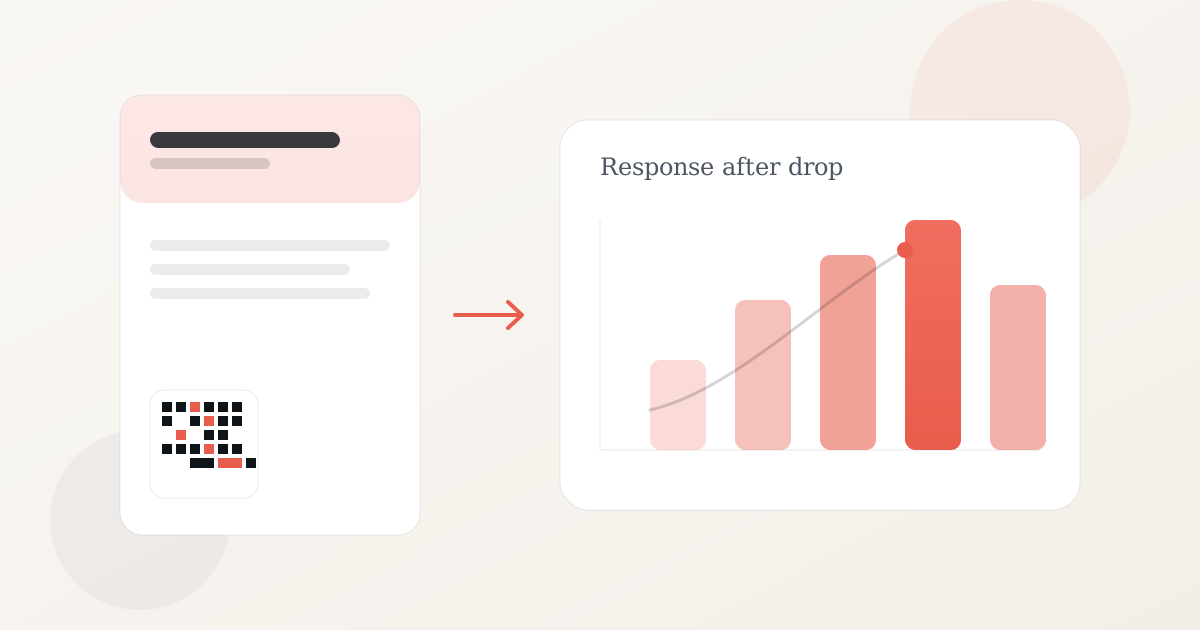
Direct mail, brochures, leaflets, and flyers still reach people at home, on counters, and in waiting rooms. For many local businesses, print is how the offer gets in front of someone who was not searching for you at that moment.
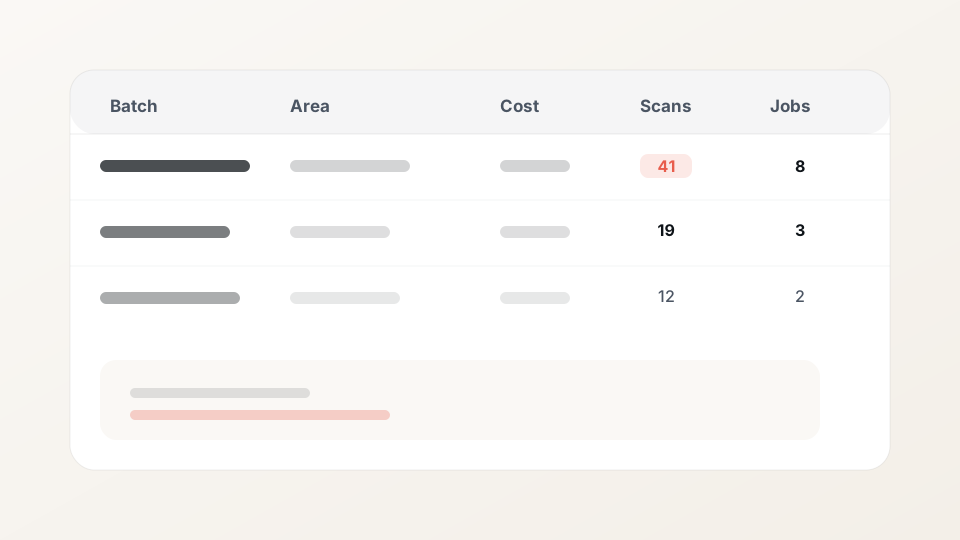
The question is how to measure whether that print run worked. Log data for each batch: how many called, which area you dropped in, what you spent, and how many jobs you booked. That is enough to compare runs and decide what to print next time.
Why print marketing analytics matters
Like any marketing channel, print works best when you can see results. If you log calls, walk-ins, and jobs per batch, you can see which offers and areas worked and where to spend next time.
Without that log, a quiet week is hard to read. It might be bad timing, a weak headline, or the wrong area. You can use simple analytics to see what work each leaflet run brought in, then change the offer or area on the next print.
For most local businesses, the usual question is direct: did this batch bring enough enquiries and jobs to justify the cost? You want a yes or no per run, not a vague feeling that marketing is working.
Choosing the right metrics
There is no single scorecard for every business. A cheap offer may convert after a few calls the same week the leaflets land. A more expensive job may need many more calls before someone books. Still, most local print campaigns benefit from tracking a small set of KPIs:
- Response rate: how many people acted after receiving the print (call, walk-in, form, redemption).
- Conversion rate: how many of those responses became a booked job or sale.
- Cost per response: total batch cost divided by responses.
- Cost per job: total batch cost divided by booked work you can link to the batch.
Start with tagged enquiries and cost per job. Add response rate and conversion detail when you are running print regularly.
Tracking and analyzing your data
Set up your log before the leaflets go out.
Name each batch. Use a label you will recognise later, such as "September A6 north" or "Spring boiler offer."
Keep your usual phone number on the print. When someone calls, ask how they heard about you and note the batch in your CRM or spreadsheet.
Add a promo code for walk-ins or phone orders. A short unique code printed on the leaflet helps staff log which run the customer saw.
Optional: a scannable link. A QR code is the square barcode people scan with their phone camera. flyerfly gives each print batch its own tracked link and landing page so you can count visits from that run. See how to track print campaign data for the full workflow.
Review results on day seven and day fourteen. Compare runs: which postcodes called, which headline got more response, what each booked job cost on average.
Benefits of measuring print campaigns
You remember which areas and offers worked when you have a written log, not when you rely on memory six months later.
Cost per job by batch shows whether print was worth it compared with ads or an SEO retainer that month.
When you get plenty of calls but few bookings, you know to fix follow-up or the offer. When calls are flat, you check the headline, area, or timing before you pay for another print run.
Someone may see your leaflet and search for you online a few days later. Batch notes help you link those searches back to the drop that went out that week.
Getting started on a small test
Many owners begin with 300 to 500 homes in one postcode, or two nearby estates with the same offer. Record quantity, area, cost, and drop date. Tag any calls that mention the print. Review the batch row at day seven and fourteen.
Related reading
FAQ
A result is any measurable action tied to that print run: a phone call that mentions the leaflet, a walk-in, a form fill, a booked job, or a visit to a campaign page. Record those alongside batch cost so you can compare runs.
Check tagged calls and enquiries at day seven, then again at day fourteen. Most local response arrives in that window. Use those two check-ins to decide whether to reprint, adjust the offer, or try another area.
Batch name, quantity, target area, drop date, total cost, tagged enquiries, and booked jobs. One row per run in a spreadsheet is enough to start.
Yes. Your normal business phone number, a simple log of calls and jobs, and a unique offer code on the print covers most local campaigns. You can add more detail later if print becomes a regular channel.
Print and digital work together. Someone may see your leaflet first and search for you online later. Tag calls to the batch, note walk-ins, and record any lift in branded search in your batch notes.
Related articles
From letterbox to lead: tracking a print campaign properly
A practical funnel from door drop to tracked QR, landing page, and booked job. What to record so print is not a black box.
Read articleWhy your leaflet campaign needs a tracked QR code
Delivery counts are not results. A tracked QR on leaflets shows which print run got scans, so you can compare offers and areas with real numbers.
Read articleStop obsessing over rankings. Start measuring customers.
Position tracking feels productive. Bookings, calls, and repeat jobs pay bills. Shift metrics to customer outcomes local businesses control.
Read article